Defibrillator voice prompts: noise, language, hearing loss
Written by Cyrille GAGNAIRE, France Défibrillateur. Published on 7 November 2026.
The automated external defibrillator guides the rescuer aloud, step by step. That voice is its main tool, yet it runs into very ordinary situations: a noisy hall, a visitor who does not speak French, a deaf or hard-of-hearing bystander, a panicking person who can no longer hear anything. Here is how to anticipate these obstacles when choosing the device and its location, so that the instructions are understood when every minute counts.
Why the voice matters as much as the device
A DAE (AED, automated external defibrillator) is designed to be used by someone who has never handled this kind of device. The voice prompts replace training: place the pads, stop touching the victim, press the shock button, resume compressions. If the message is not heard or not understood, the device loses much of its value.
Yet operators often think about the presence of the defibrillator and rarely about how well it can be heard. A perfectly maintained, well signposted and accessible device can remain ineffective in a place where nobody hears it. This is a selection and installation criterion in its own right.
The prompts are also designed to set the rhythm of the actions: the sound signal that accompanies compressions helps keep the pace, and the analysis announcements tell everyone to stand clear. These audio cues reassure a stressed person, provided they can be heard distinctly.
Background noise, the first enemy of the instructions
A gym, a workshop, a restaurant or a station hall can easily drown out a synthetic voice. The rescuer, bent over the victim, still has to catch every sentence. The noisier the place, the more you need to plan ahead: device volume, location relative to noise sources, and a screen that repeats the instructions.
Avoid installing the cabinet right next to a machine, a speaker or a powerful ventilation unit. A position slightly further away, but still on a walkway, offers a better compromise. During drills, have the device opened in real conditions on site and ask participants whether they understand what is said.
If needed, the rescuer's first reflex can be to ask a bystander to turn off the music or move the crowd back. Your team should know this instruction, because it costs nothing and changes how well people can hear.
Also think about reverberation. In a large space with hard walls, the device's voice becomes distorted and less intelligible, even at a low noise level. A test on site, two or three metres from the cabinet, gives a good idea of what a bystander will perceive.
Language: foreign visitors, employees, seasonal staff
A hotel, a campsite, a tourist resort or a company with international teams welcomes people who do not all speak French. Depending on the model, the device offers one or several languages, sometimes to be set beforehand. Check the manual to see which languages are available and how to change them.
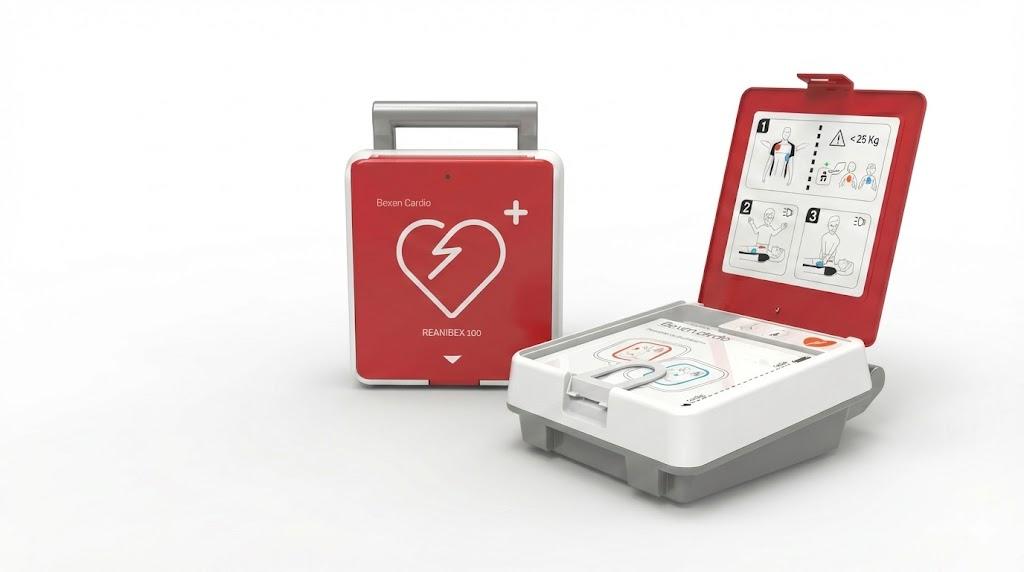
If your audience is varied, a device set to French may prove unusable for a foreign bystander. Two complementary solutions exist: choose a model that supports the language you need, and add clear pictograms on the cabinet or next to it, showing the pad positions without a single word.
For seasonal sites, remember to inform teams who arrive during the year. An employee who knows which language the device speaks, and where the pictogram is, loses less time at the critical moment.
Deafness and hearing loss: do not rely on voice alone
A deaf or hard-of-hearing bystander can perfectly well use a defibrillator, provided the information comes through another channel. The diagrams printed on the pads, the device pictograms and, depending on the model, a screen with text or images provide this redundancy.
When choosing, look at what the device shows without sound. During awareness sessions, present these visual cues to everyone: they also help when noise drowns out the voice. And if several people are present, one can relay the instructions aloud or by gestures to the person acting.
Awareness training plays a major role here. A person who has already seen the pads and handled a training device acts with far more confidence, whatever their hearing on the day of the event.
What the operator can check and organise
A few simple checks are enough to spot blind spots. They fit into the regular follow-up of the device and can be recorded in the safety register.
| Situation | Point to check | Possible action |
|---|---|---|
| Noisy place | Voice audible at the actual location | Move the cabinet away from noise sources, test during a drill |
| Foreign audience | Available languages and setting | Choose a suitable model, add pictograms |
| Deaf or hard-of-hearing bystander | Visual cues without sound | Show the screen and pad diagrams during awareness sessions |
| New staff | Knowledge of how it works | Let them hear the device during onboarding |
Frequently asked questions
Can the language of a defibrillator be changed?
It depends on the model. Some devices offer several languages and a dedicated setting, others are fixed. Check the manual or ask for advice before buying if your audience is international, then check the setting after each technical intervention.
Can a deaf person use an AED?
Yes. The pad diagrams, pictograms and the device screen, if any, make it possible to follow the steps without hearing. It remains useful to train the people concerned in these visual cues and to plan for a bystander to relay the instructions.
Is the device volume adjustable?
Depending on the model, the volume may be adjustable or fixed. Check this in the manufacturer's documentation, then test audibility at the actual cabinet location, taking the usual noise of the place into account.
What if the instructions are not understood?
Call 15 or 112, follow the dispatcher's instructions over the phone and keep up chest compressions. The dispatcher can guide the rescuer step by step, including placing the pads, while the device keeps speaking.
Planning an AED project?
Purchase, rental from 50 EUR excl. VAT per month, installation with GéoDAE registration, servicing and training: our team replies within 24 hours.